
Benchmarking Snowflake Interactive Tables and Warehouses
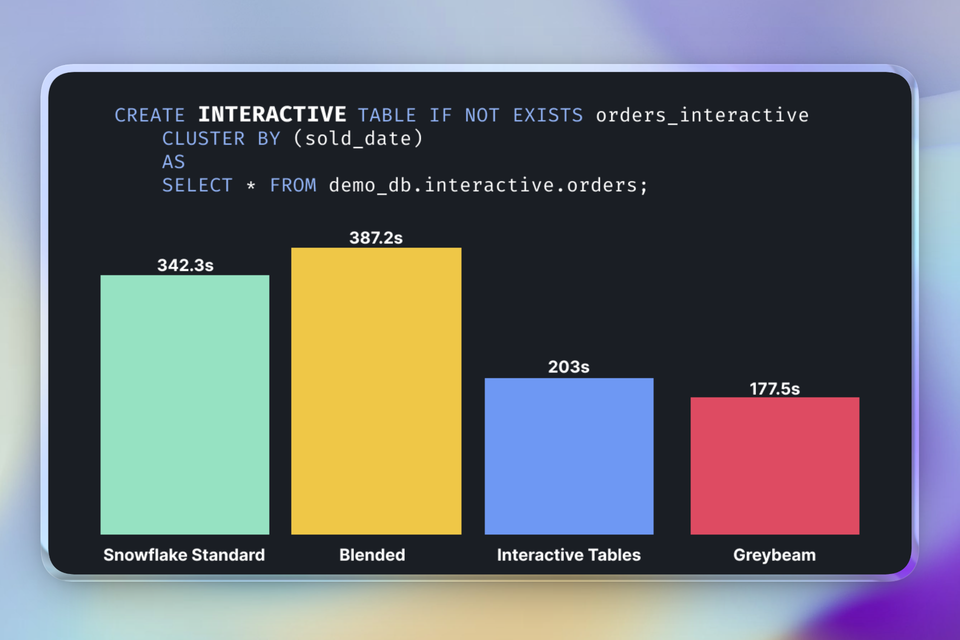
Last month Snowflake released Interactive Tables and Interactive Warehouses to public preview. They are designed to power low-latency, high-concurrency applications like customer-facing API or a dashboard, think applications or services that are meant to be interactive.
Snowflake is widely known as an OLAP database, meant to scan massive columnar data for analytics. But this new feature uses a fundamentally different compute and storage model. It moves Snowflake into the serving layer, competing directly with row-based lookups you might usually handle in Postgres or MySQL with huge caveats.
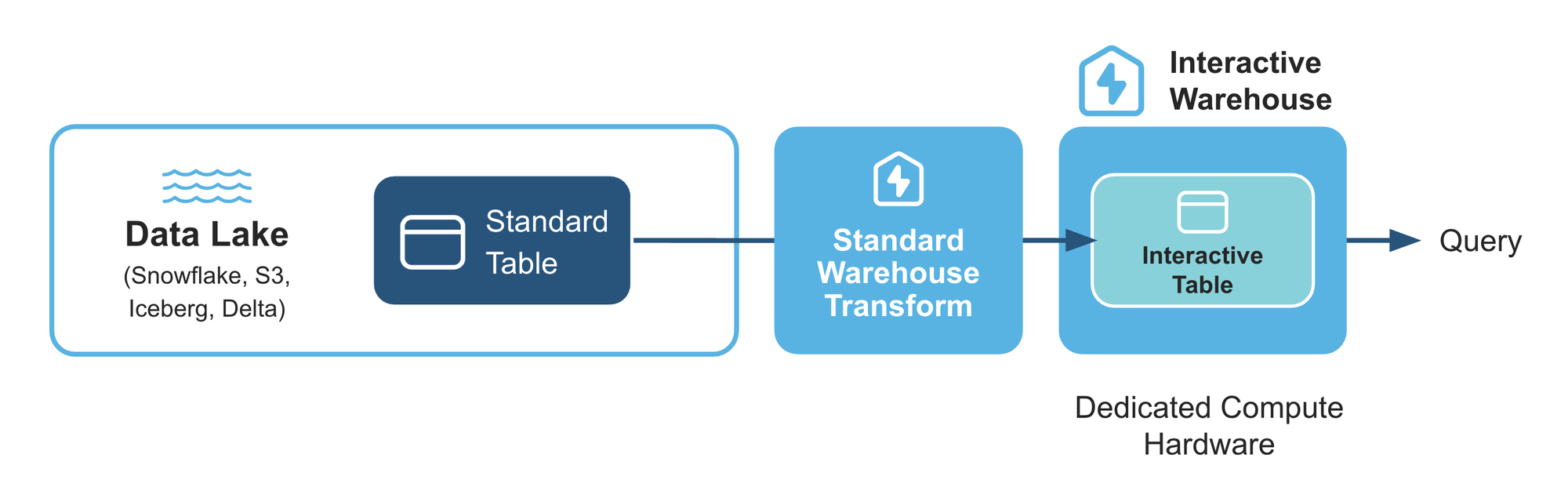
We wanted to understand how these perform in real workloads, so we put this feature to the test, comparing it against a standard Snowflake warehouse. The results were impressive, but they came with a strict set of rules that require careful consideration.
How It Works
Interactive tables store data using structures optimized for interactive, low-latency retrieval (assuming row-based). Interactive warehouses execute these queries using additional metadata, better indexing, and dedicated hardware (local caching).
While you can query Interactive Tables with a standard warehouse, to get the best performance, you must query Interactive Tables with an Interactive Warehouse.
Creating an Interactive Table
Interactive tables are created using a standard CREATE TABLE AS SELECT (CTAS) command, with the addition of the INTERACTIVE keyword and a required CLUSTER BY clause.
Choose clustering keys that match the most important WHERE filters in your interactive queries.
CREATE INTERACTIVE TABLE IF NOT EXISTS orders_interactive
    CLUSTER BY (sold_date)
    AS
    SELECT * FROM demo_db.interactive.orders;
There are other configuration options similar to Dynamic Tables you can find those here.
Creating an Interactive Warehouse
Similarly, the warehouse requires the addition of the INTERACTIVE keyword and its associated tables.
CREATE OR REPLACE INTERACTIVE WAREHOUSE interactive_wh
  WAREHOUSE_SIZE = 'XSMALL'
  TABLES (orders_interactive);
You can also associate tables later:
ALTER WAREHOUSE interactive_wh
  ADD TABLES (customers_interactive, products_interactive);
Choosing a Warehouse Size
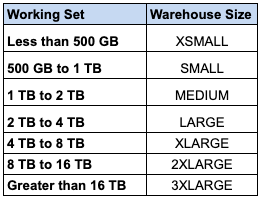
Another key difference compared to a standard warehouse is the warehouse size. The warehouse size should be set to the approximate size of data your queries will work with. For example, if your queries typically only query the last seven days of sales data, the working set is the fraction of the interactive table corresponding to those seven days.
Key Constraints
Before looking at the speed, you must understand the constraints. Interactive Warehouses are not a drop-in replacement for Standard Warehouses.
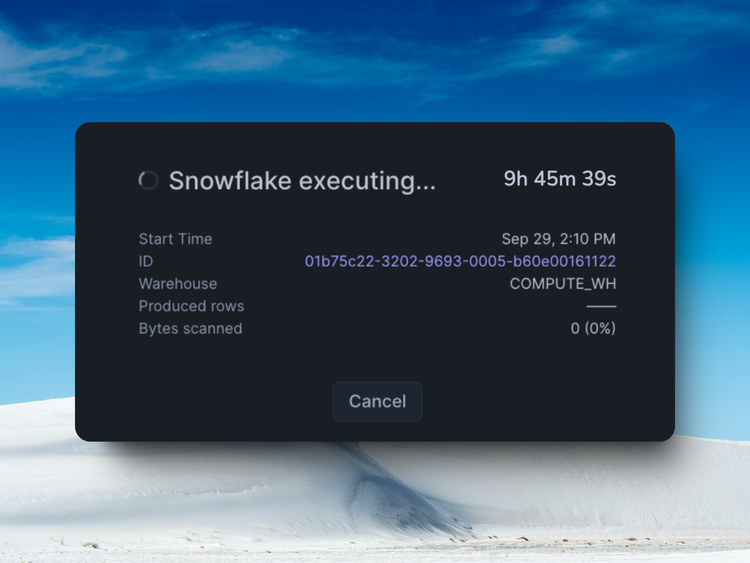
- 5-second timeout: This is the most critical constraint. You can reduce the query timeout value but you can’t increase it. If a query takes 5.01 seconds, it fails.
- No Updates or Deletes: Interactive tables currently only support
INSERT OVERWRITE. You cannot runUPDATEorDELETEcommands. This dictates a specific data pipeline strategy (likely full refreshes or append-only patterns). - Warehouse is Always On: Interactive Warehouses do not auto-suspend or auto-resume. You must manage them manually, effectively running them 24/7.
Costs
Interactive Warehouses cost roughly 40% less per credit than a standard warehouse. However, the math isn't straightforward. These warehouses do not auto-suspend (they must stay warm to keep that local cache ready) and there is the added cost to replicate data into an interactive table.

The Benchmark
Setup
I setup a script to fire 500 queries against Snowflake using 4 threads. We tested four scenarios:
- Standard XS Warehouse + Standard Table
- Standard XS Warehouse + Interactive Table
- Interactive XS Warehouse (warmed 1hr) + Interactive Table
- DuckDB via Greybeam (2x r6gd.4xlarge)
Results
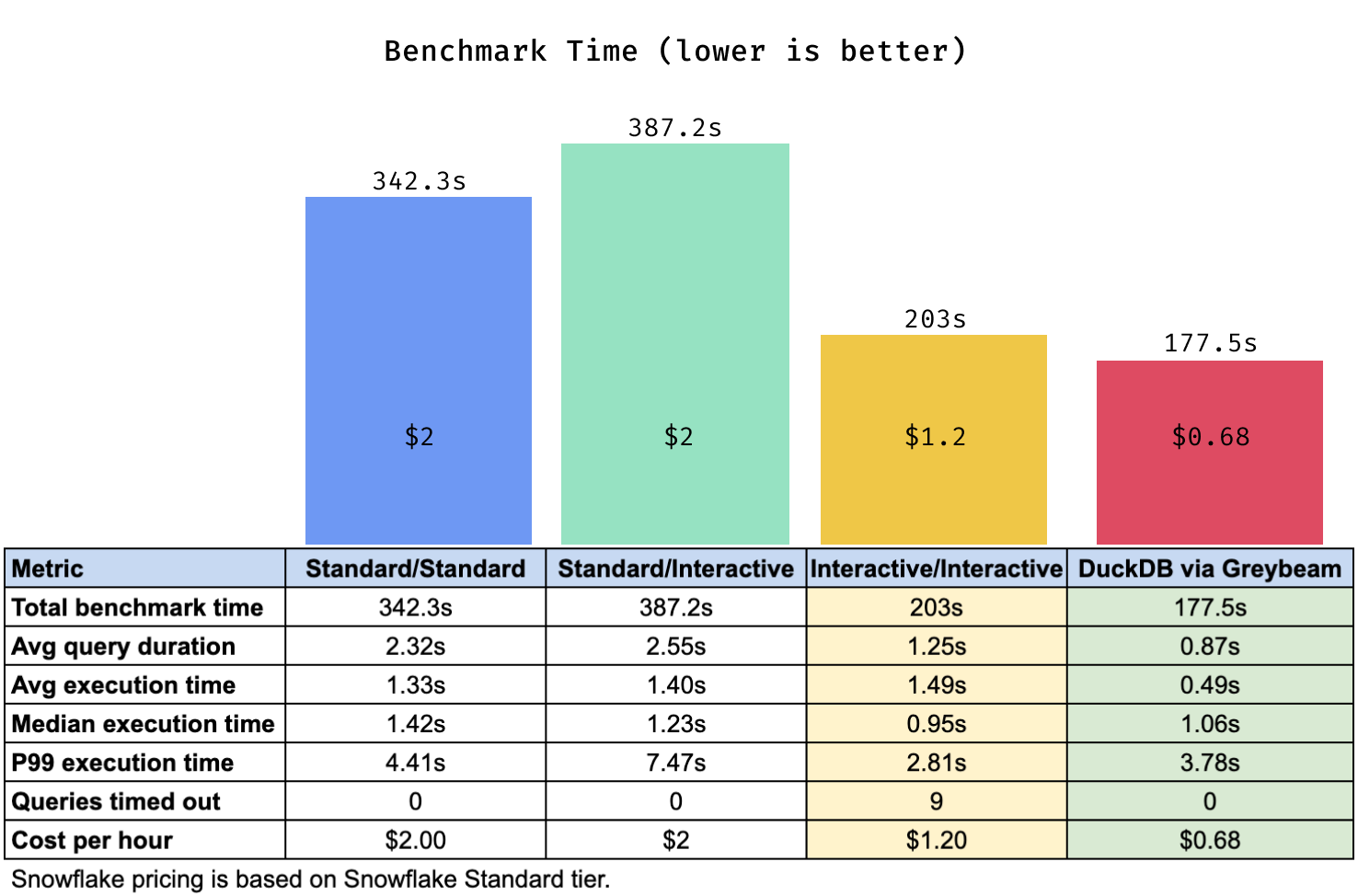
Total Benchmark Time
The total time it took to finish the benchmark.
Average Query Duration
An average of the total time the client waits for a response. This includes network time, queueing, compilation, etc.
Execution Time
The time spent executing a query.
Queries Timed Out
Number of queries that failed due to the 5 second timeout limit.
Takeaways
1. Interactive is fast, Greybeam is faster.
The fully interactive setup excels at high concurrency workloads, it completed the benchmark ~40% faster but with relatively similar execution times to the Snowflake Standard warehouses.
However, Greybeam (powered by DuckDB) completes the benchmark even faster. While using two machines might seem like a different weight class, it illustrates the art of the possible, to achieve superior performance at a significantly lower cost.
2. Understand the constraints
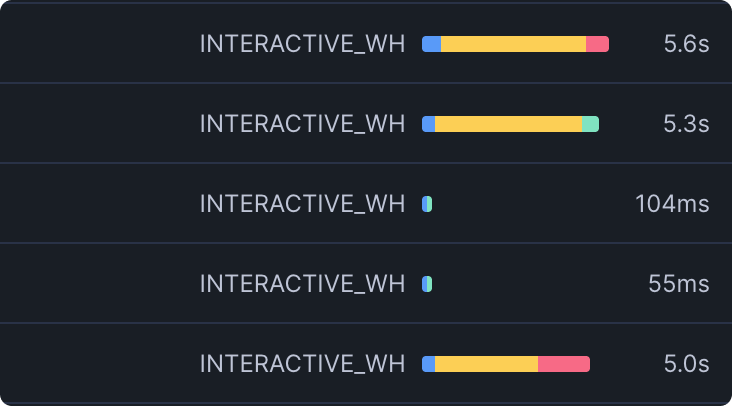
The performance gains are real, but only when the workload fits the constraints. 2% of queries failed due to the 5-second timeout.
This is the trade-off. You get much faster, more predictable latency, but only if every query reliably stays under that limit. Though I suppose queries that take longer than 5 seconds may no longer be interactive.
The catch, though, is that with truly high concurrency, queue time can cause queries to time out even if they execute in milliseconds. Interactive warehouses may only be worth considering if you’re on an Enterprise account and can scale horizontally.
3 . Costs depends on your usage
On the cost side, Interactive Warehouses are ~40% cheaper per credit, but they don’t auto-suspend, meaning they effectively run 24/7 without additional management overhead. The economics depend entirely on your usage pattern.
On Greybeam, costs are a function of savings, and on this benchmark it cost us $0.68 per hour for the two machines.
Conclusion
If you're considering switching a backend or API to Interactive Tables, the two questions to answer are:
Can every query in your workload complete in under 5 seconds, every time, even during peak concurrency?
If not, Interactive Tables may introduce user-visible failures.
Does your workload justify a warehouse that runs continuously?
If yes, the performance benefits can be substantial.
And of course, if you are using Snowflake to power your analytics workloads, consider switching those over to Greybeam for both performance and cost benefits.


Comments ()