
Query Snowflake Directly from DuckDB

Last year I wrote a post on how to Cut Costs by Querying Snowflake Tables in DuckDB with Apache Arrow. While effective, that workflow required custom Python scripts and several moving parts.
In this post, we'll look at a much simpler approach, a new community extension that allows you to query Snowflake directly from DuckDB.
Setting Up
Install DuckDB
Make sure you have DuckDB installed, at the time of writing, the latest version is 1.4.4.
Installation instructions can be found here. If you're using Mac and manage your packages with Brew, use the command below.
brew install duckdbInstall ADBC Driver
This extension relies on the Snowflake ADBC driver. You can install it using a script provided by the extension maintainers below. This script identifies your version of DuckDB and installs the ADBC driver into the appropriate extensions directory.
# Navigate to DuckDB extensions directory

# Using curl
curl -sSL https://raw.githubusercontent.com/iqea-ai/duckdb-snowflake/main/scripts/install-adbc-driver.sh | sh

# Or using wget
wget -qO- https://raw.githubusercontent.com/iqea-ai/duckdb-snowflake/main/scripts/install-adbc-driver.sh | sh
After installation, confirm that the ADBC driver libadbc_driver_snowflake.so exists in the DuckDB extensions directory.
ls ~/.duckdb/extensions/<duckdb_version>/<duckdb_platform>/You should see: libadbc_driver_snowflake.so
Now that the ADBC driver is installed, we can move on to using the Snowflake extension itself.
Using the Extension
Let's fire up DuckDB and start querying Snowflake!
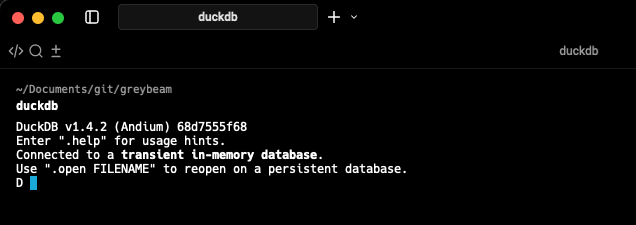
In a new terminal, open up DuckDB by typing duckdb
Next, install and load the extension.
INSTALL snowflake FROM community;
LOAD snowflake;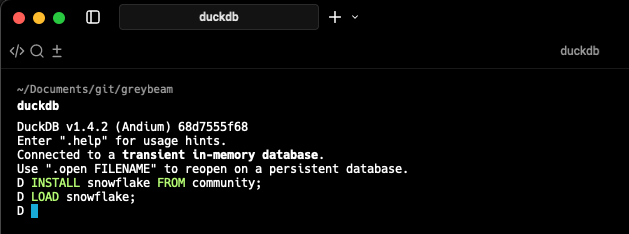
Authentication
There are a handful of ways to authenticate. if you run into any errors, please review the Common Errors section below.
DATABASE is configured in a secret, you cannot query another database without modifying or creating a new secret.Password
Snowflake is deprecating password-only authentication but if you still happen to use it, authenticating is quite simple!
CREATE SECRET user_pass (
    TYPE snowflake,
    ACCOUNT 'your_account_identifier',
    USER 'your_username',
    PASSWORD 'your_password',
    DATABASE 'your_database',
    WAREHOUSE 'your_warehouse'
);
Key-pair
When using key-pair, be sure to set the AUTH_TYPE to 'key_pair'. If you're using an encrypted key, you must input it in the the PRIVATE_KEY_PASSPHRASE param.
CREATE SECRET keypair (
    TYPE snowflake,
    ACCOUNT 'your_account_identifier',
    USER 'your_username',
    AUTH_TYPE 'key_pair',
    PRIVATE_KEY '/path/to/your/private_key.p8',
    PRIVATE_KEY_PASSPHRASE 'YOUR_PASSPHRASE',
    DATABASE 'your_database',
    WAREHOUSE 'your_warehouse'
);AUTH_TYPE is case-sensitive. It must be 'key_pair'.OAuth, SSO, and more.
Other authentication methods may require more setup and can be found here.
Connecting to Snowflake
So far, this is what we've done.
INSTALL snowflake FROM community;
LOAD snowflake;


CREATE SECRET keypair (
    TYPE snowflake,
    ACCOUNT 'your_account_identifier',
    USER 'your_username',
    AUTH_TYPE 'key_pair',
    PRIVATE_KEY '/path/to/your/private_key.p8',
    PRIVATE_KEY_PASSPHRASE 'YOUR_PASSPHRASE',
    DATABASE 'your_database',
    WAREHOUSE 'your_warehouse'
);
Next, we need to ATTACH our Snowflake database.
ATTACH '' AS snowflake_db (
  TYPE snowflake,
  SECRET keypair,
  READ_ONLY,
  enable_pushdown true
  );
Setting enable_pushdown to true allows DuckDB to push filters and projections to Snowflake, avoiding unnecessary data transfer.
If this step is successful, then we have officially established a connection to Snowflake.
Potential Errors
When setting up the key, you may run into the issue below:
Binder Error:
Unknown parameter 'private_key' for secret type 'snowflake' with default provider 'config'
This is likely due to DuckDB using an old cached version of the extension. Go into your extensions folder and remove the old extension.
~/.duckdb/extensions/<your_duckdb_version/<your_platform>/Re-run the installation steps earlier and run SELECT snowflake_version(); and ensure you are using version 0.1.0 or later.
select snowflake_version();┌────────────────────────────┐
│ snowflake_version() │
│ varchar │
├────────────────────────────┤
│ Snowflake Extension v0.1.0 │
└────────────────────────────┘Querying Snowflake Tables
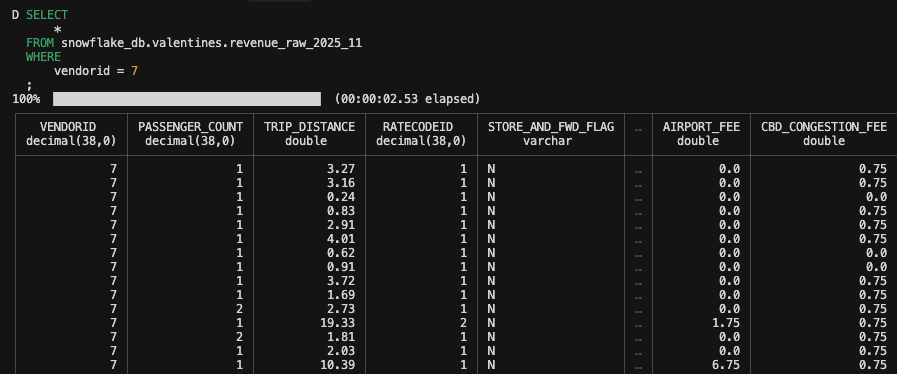
To run a query, simply call the attached Snowflake database's namespace:
SELECT
    *
FROM snowflake_db.greybeam_schema.my_table
WHERE
    customer_id = 7
;
It's important to note that the DATABASE you setup during secret creation will be your default database. There is currently no way to query another database within Snowflake without altering or creating a new secret.
What about caching?
The Snowflake extension does not currently provide native query caching, and existing DuckDB caching extensions (such as cache_httpfs and quackstore) do not work with Snowflake. These caching extensions are designed for HTTP-based data sources, whereas the Snowflake extension communicates through an ADBC driver.
As a result, each query is executed directly against Snowflake. If you’re working with smaller tables or repeatedly querying the same dataset, you can materialize the results into a local DuckDB table:
CREATE OR REPLACE TABLE greybeam_table AS
SELECT
    *
FROM snowflake_db.greybeam_schema.my_table
;
Once materialized, all subsequent queries against greybeam_table run entirely inside DuckDB.
For more information and updates, see the extension’s repo.
Now what?
Okay, so we can query Snowflake tables from DuckDB. What's the big deal?
You can join Snowflake data to just about anytting else. In a single query, you can now:
- Join Snowflake tables with local data (CSV, Parquet, etc.).
- Join Snowflake data to other data sources (Postgres, MotherDuck, etc.).
- Use DuckDB's extension ecosystem on Snowflake data. For example, finally joining that pesky Finance Google Sheet to reconcile against your Snowflake report.
Wrapping Up
The DuckDB Snowflake extension dramatically simplifies working with Snowflake data locally. Instead of exporting files or writing custom ingestion scripts, you can now run SQL directly against Snowflake from DuckDB with pushdown and minimal setup.
While the extension is still early and has some limitations, it already unlocks powerful hybrid workflows that blend cloud data warehouses with local analytics.

Comments ()